Staffing
See open positions and coverage exceptions drawn from the schedule.
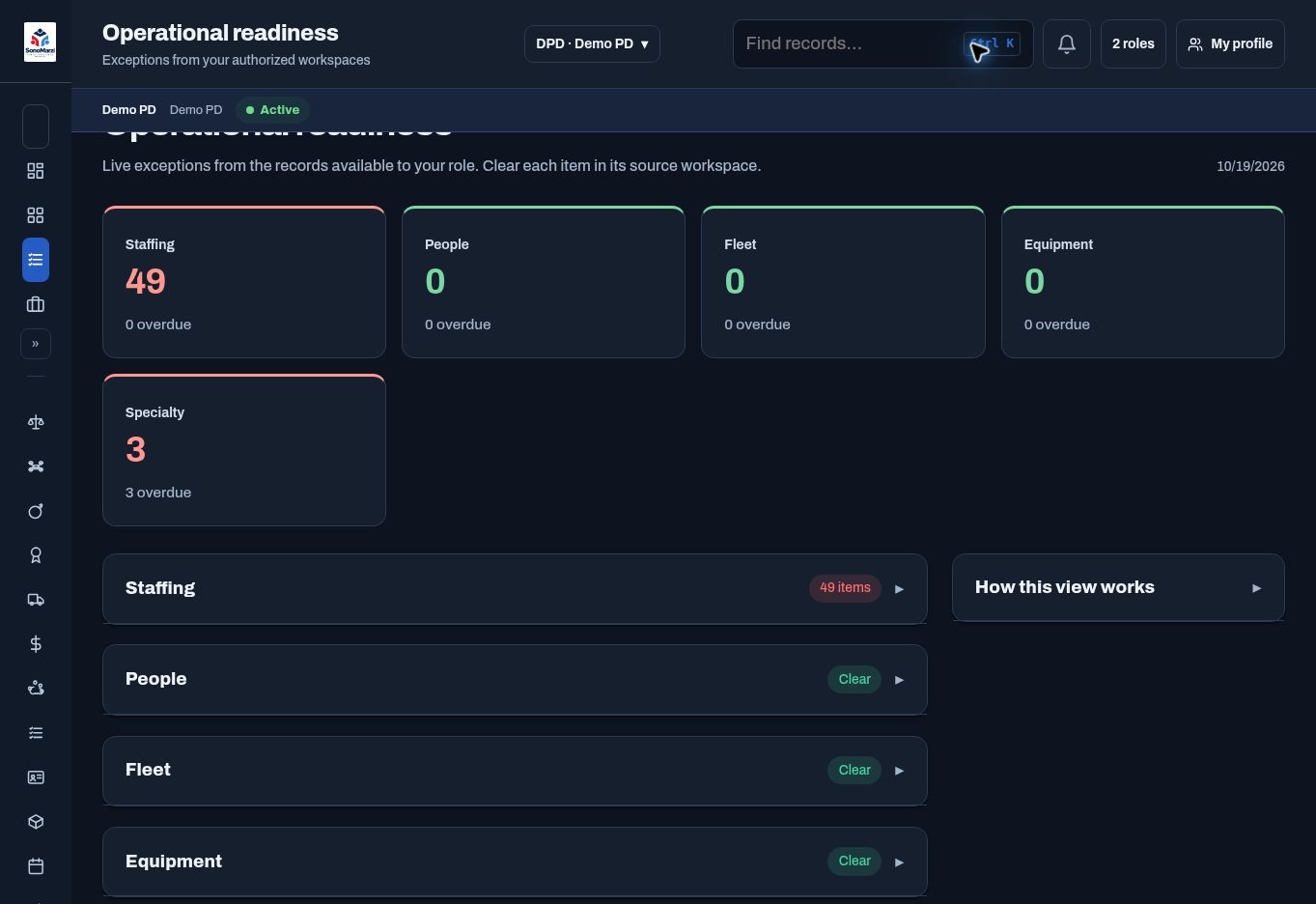
OPERATIONAL READINESS
Review staffing, people, fleet, equipment, and specialty exceptions from authorized workspaces.
BUILT AROUND THE WORK
Readiness brings exceptions into one place and links them back to the source workspace. Leadership can review areas needing attention, while the people responsible can work on the records behind the indicator.
WHAT YOUR TEAM CAN MANAGE
See open positions and coverage exceptions drawn from the schedule.
Review relevant personnel, fleet, and equipment indicators.
Include K9 credentials and EOD inspection exceptions in the operational picture.
Open the source workspace instead of chasing a status without a next step.
A TYPICAL WORKFLOW
Agency configuration and permissions shape the steps available to each user.
CONNECTED WORKSPACES
Coordinate work group calendars, shift patterns, staffing requirements, time off, and duty assignments.
Explore workflow ↗Assets & LogisticsBring vehicles, inspections, defects, maintenance, and supporting documents into a connected fleet workspace.
Explore workflow ↗Specialty & ReadinessBring drone, K9, and EOD program administration into the same management platform.
Explore workflow ↗YOUR PEOPLE. YOUR WORKFLOWS.
Start with the work you want to simplify. We’ll build the demonstration around it.
Request your personalized demo ↗