
Fleet inventory
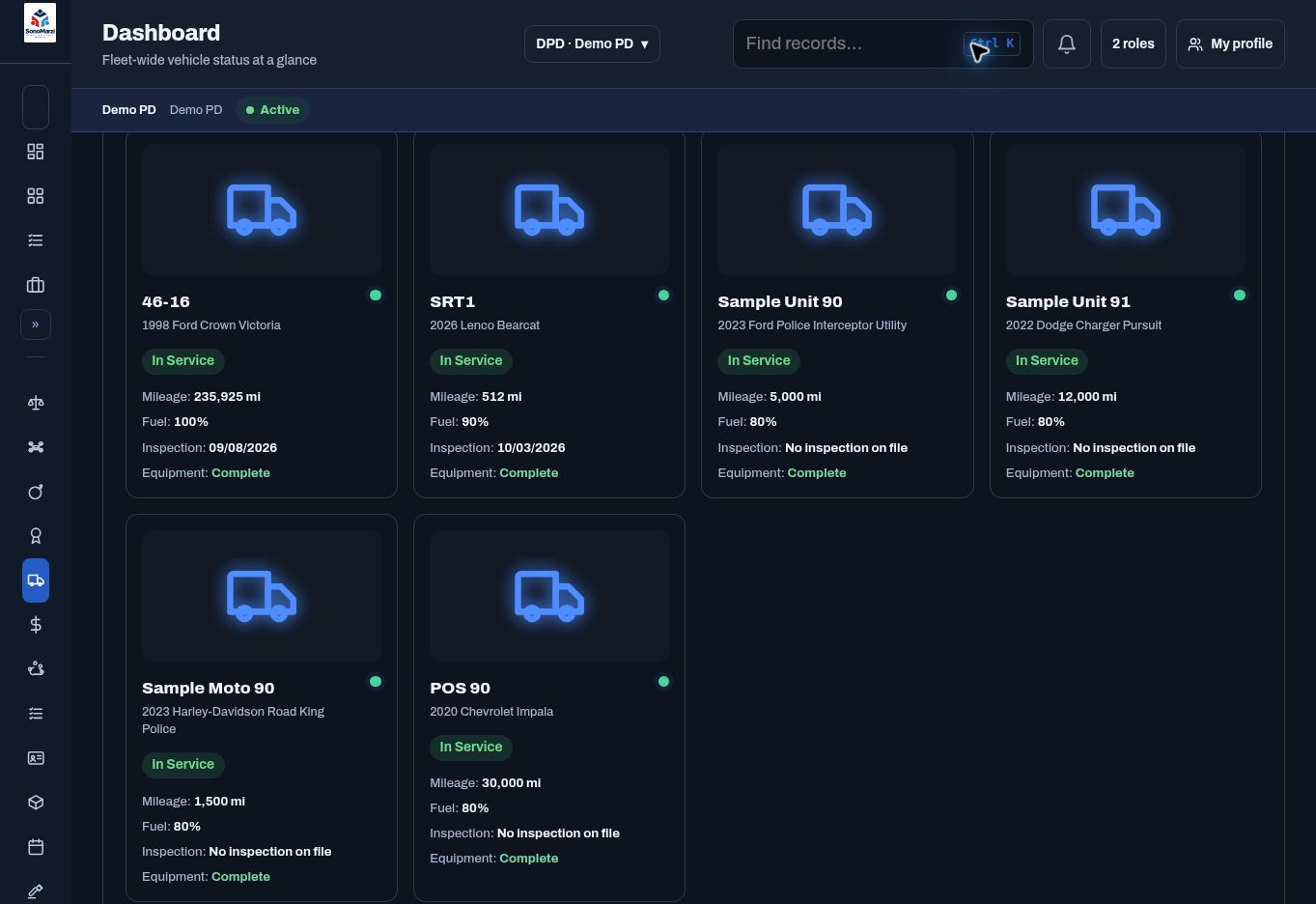
Maintain vehicle records with status, mileage, fuel, equipment, and vehicle details.
FLEET MANAGEMENT
Bring vehicles, inspections, defects, maintenance, and supporting documents into a connected fleet workspace.
BUILT AROUND THE WORK
A fleet record should support the next decision, whether that means an inspection before shift or follow-up on a repair. Review the fleet dashboard, open a vehicle, and keep its condition and service history together.
WHAT YOUR TEAM CAN MANAGE
Maintain vehicle records with status, mileage, fuel, equipment, and vehicle details.
Record condition checks and follow up on vehicles needing inspection.
Track repairs, scheduled service, vendors, and work status.
Keep documents and photos connected to the vehicle they describe.
A TYPICAL WORKFLOW
Agency configuration and permissions shape the steps available to each user.
CONNECTED WORKSPACES
Manage equipment inventory, assignments, requests, approvals, maintenance, and inventory audits.
Explore workflow ↗Specialty & ReadinessReview staffing, people, fleet, equipment, and specialty exceptions from authorized workspaces.
Explore workflow ↗People & WorkforceBring assignments, approvals, exceptions, quick actions, and your calendar into one operational workspace.
Explore workflow ↗YOUR PEOPLE. YOUR WORKFLOWS.
Start with the work you want to simplify. We’ll build the demonstration around it.
Request your personalized demo ↗